


 Jun 08, 2026
In an office environment, a quiet computing experience is essential for productivity, focus, and comfort. Unlike gaming rigs or high-performance workstations, which often prioritize cooling power over noise levels, office desktop computers are typically used for tasks like word processing, email, web browsing, video conferencing, and light multitasking. These tasks do not generate excessive heat, but a noisy CPU cooler can be a significant distraction, disrupting workflow and causing discomfort for both the user and nearby colleagues. A quiet CPU cooler for office desktops is designed to balance cooling performance with low noise output, ensuring that the computer runs smoothly and silently, even during extended periods of use.
The key characteristic of a quiet CPU cooler is its noise level, which is measured in decibels (dB). For office environments, a CPU cooler with a noise level of 30 dB or lower is ideal, as this is equivalent to the sound of a whisper or a quiet library. Coolers with noise levels between 30-35 dB are also acceptable, but anything above 35 dB can become noticeable and distracting, especially in quiet office settings. To achieve low noise levels, quiet CPU coolers incorporate several design features, including low-noise fans, optimized heatsink designs, and vibration-dampening materials.
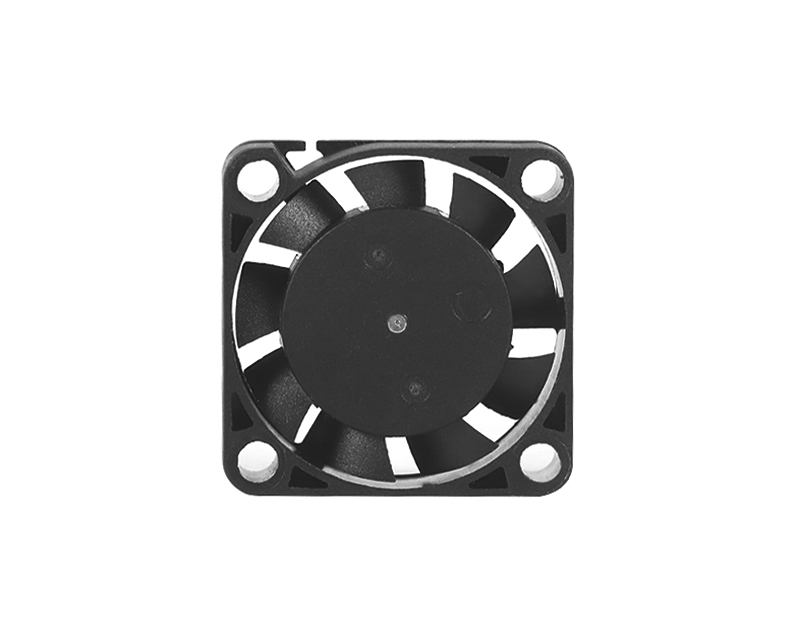
Low-noise fans are one of the most critical components of a quiet CPU cooler. These fans are designed to operate at lower speeds while still providing sufficient airflow to cool the CPU. Unlike high-performance fans used in gaming coolers, which can reach speeds of 2000 RPM or more, quiet fans typically operate at speeds between 800-1500 RPM, reducing noise output significantly. Many quiet fans also feature hydraulic bearings or rifle bearings, which are quieter and more durable than standard sleeve bearings. Hydraulic bearings use a layer of oil to reduce friction, resulting in smoother operation and lower noise, while rifle bearings use a spiral groove design to minimize vibration and noise.
Another important feature of quiet CPU coolers is the heatsink design. Heatsinks with larger surface areas and more fins can dissipate heat more efficiently, allowing the fan to operate at lower speeds. Many quiet air coolers feature a single fan and a compact heatsink, which is sufficient for cooling office CPUs (which typically have a TDP of 65W or lower). Some coolers also use heat pipes to transfer heat from the CPU to the heatsink more efficiently, reducing the need for high fan speeds. For example, the be quiet! Pure Rock 2 Black features four 6mm heat pipes with HDT (Heat Pipe Direct Touch) technology, which ensures direct contact with the CPU’s IHS, improving heat transfer and allowing the fan to run quietly at speeds up to 1500 RPM.
Vibration-dampening materials are also used in quiet CPU coolers to reduce noise caused by fan vibration. These materials, such as rubber gaskets or silicone pads, are placed between the fan and the heatsink, absorbing vibrations and preventing them from transferring to the case, which can amplify noise. Some coolers also feature a decoupled fan design, which further reduces vibration and noise.
Quiet CPU coolers are available in both air cooling and liquid cooling designs, but air coolers are more commonly used for office desktops due to their lower cost, simplicity, and reliability. Liquid coolers, while quieter than some air coolers at high loads, are often more expensive and require more maintenance, making them less ideal for office environments where simplicity and cost-effectiveness are priorities. However, some AIO liquid coolers, such as the Arctic Liquid Freezer III 240, are designed for quiet operation and are suitable for office desktops that require slightly more cooling power (e.g., for video conferencing or light content creation).
When selecting a quiet CPU cooler for an office desktop, it is important to consider the TDP of the CPU. Most office CPUs, such as the Intel Core i3/i5 or AMD Ryzen 3/5, have a TDP of 65W or lower, which can be easily cooled by a low-noise air cooler. For example, the Thermalright Assassin X120 Refined SE has a cooling capacity of up to 150W, making it suitable for even mid-range CPUs, while operating at a noise level of just 25.6 dB. This cooler features a 120mm PWM fan with a speed range of 800-1550 RPM, allowing it to adjust its speed based on the CPU’s temperature, ensuring quiet operation when idle and sufficient cooling when under load.
Another important consideration is the size of the cooler. Office desktops are often compact, so a small or low-profile cooler is ideal to ensure compatibility with the case and other components (e.g., memory modules). Low-profile coolers, such as the Noctua NH-L9i, are designed to fit in small form factor (SFF) cases and have a height of less than 50mm, making them perfect for compact office builds. Despite their small size, these coolers still offer sufficient cooling performance and low noise levels, with the NH-L9i operating at just 21 dB at idle.
Noise level is not the only factor to consider—reliability and ease of installation are also important for office desktops. Many quiet CPU coolers feature tool-free installation systems, making them easy to install even for users with limited technical experience. For example, the Cooler Master Hyper 212 Black Edition comes with a universal mounting system that supports both Intel and AMD sockets, and the installation process can be completed in minutes without the need for additional tools.
Examples of popular quiet CPU coolers for office desktops include the be quiet! Pure Rock 2 Black, which operates at a maximum noise level of 26.8 dB and features a compact design that fits most cases. This cooler is compatible with both Intel and AMD sockets and offers excellent cooling performance for office CPUs. Another example is the Arctic Freezer 34 eSports, which features a 120mm PWM fan with a noise level of 22 dB and a heatsink with four heat pipes, providing efficient cooling and quiet operation. The Arctic Freezer 34 eSports also comes with pre-applied thermal paste, adding to its convenience for office builds.
In addition to choosing a quiet CPU cooler, there are several other steps that can be taken to reduce noise in an office desktop. For example, using a case with sound-dampening materials, such as foam or rubber, can help absorb noise from the cooler and other components. Ensuring proper cable management can also improve airflow, reducing the need for the fan to run at high speeds. Additionally, keeping the computer clean and free of dust can prevent the cooler from becoming clogged, which can increase noise levels and reduce cooling performance.
Overall, a quiet CPU cooler is an essential component for any office desktop computer, as it ensures a distraction-free working environment and prolongs the life of the CPU. By selecting a cooler with low noise levels, efficient cooling performance, and a compact design, users can enjoy a smooth and silent computing experience, allowing them to focus on their work without being disturbed by the sound of a noisy fan. Whether you are building a new office desktop or upgrading an existing one, investing in a quiet CPU cooler is a worthwhile decision that will improve productivity and comfort.
If you have any suggestions and comments on our products and services, please fill in the following table

No. 18, Liguang New Industrial Zone Liguang Community, Guanlan Sub-district Longhua District, Shenzhen
Copyright 2026 © Shenzhen Yuchuang Industry Co., Ltd. 粤ICP备16089648号




 Chinese
 CN
CN Home >