


 Jun 01, 2026
Small ITX (Mini-ITX) cases have become increasingly popular among PC enthusiasts, gamers, and professionals who want a compact, portable, or space-saving PC build without sacrificing performance. However, the small form factor of ITX cases presents a unique challenge: finding a CPU cooler that fits within the limited height clearance while still providing adequate cooling for the CPU. Low profile CPU coolers are specifically designed to address this challenge, featuring a compact design that fits in ITX cases with height clearances as low as 30mm to 60mm, while still delivering reliable cooling performance for mainstream and even some high-performance CPUs. In this comprehensive guide, we will explore the key considerations for choosing a low profile CPU cooler for small ITX cases, highlight the top features to look for, and explain why these coolers are essential for successful ITX builds.
First, it is important to understand the constraints of small ITX cases. Most Mini-ITX cases have a maximum CPU cooler height clearance of 30mm to 60mm—significantly less than mid-tower or full-tower cases (which typically allow for coolers up to 150mm or more). This means that standard air coolers (which often have heights of 100mm or more) and even some 240mm AIO coolers (which require space for the radiator) will not fit in most ITX cases. Low profile CPU coolers are designed to be compact, with heights ranging from 30mm to 60mm, making them compatible with the tight space constraints of ITX builds.
Despite their small size, low profile CPU coolers are capable of providing adequate cooling for most mainstream CPUs, including Intel’s Core i5-14600K and AMD’s Ryzen 5 7600X, which have TDP ratings of 125W or lower. For overclocked CPUs or high-TDP models (such as the Core i7-14700K), some high-performance low profile coolers can handle TDPs of up to 150W or more, though it is important to check the manufacturer’s specifications to ensure compatibility. The key to a low profile cooler’s performance lies in its design—optimizing heat transfer through efficient heat pipes, compact heatsinks, and high-performance fans.
When choosing a low profile CPU cooler for a small ITX case, the most critical factor is height clearance. Before purchasing a cooler, you must check the maximum cooler height allowed by your ITX case—this information is typically listed in the case’s specifications. For example, if your case has a maximum cooler height of 50mm, you will need to choose a cooler with a height of 50mm or less. It is also important to consider the thickness of the motherboard and any other components (such as RAM modules or VRM heatsinks) that may affect the available space for the cooler.
Another key factor is socket compatibility. Low profile coolers are available for all major CPU sockets, including Intel LGA 1700/1851 and AMD AM5/AM4. However, not all coolers support all sockets, so it is important to choose a cooler that is specifically designed for your CPU’s socket. Many low profile coolers include multiple mounting brackets in the box, making them compatible with a wide range of sockets, but it is always best to check the manufacturer’s specifications to be sure.
Ram clearance is also a critical consideration for ITX builds, as the small size of the motherboard places RAM slots very close to the CPU. Many low profile coolers feature a compact design that minimizes interference with RAM modules, but some models may still block tall RAM modules (especially those with large heat spreaders or RGB lighting). When choosing a cooler, check the manufacturer’s specifications for ram clearance (typically measured in millimeters) to ensure compatibility with your chosen RAM. Some low profile coolers feature offset heatsink designs or adjustable fan mounts to improve ram clearance, making them a better choice for builds with tall RAM.
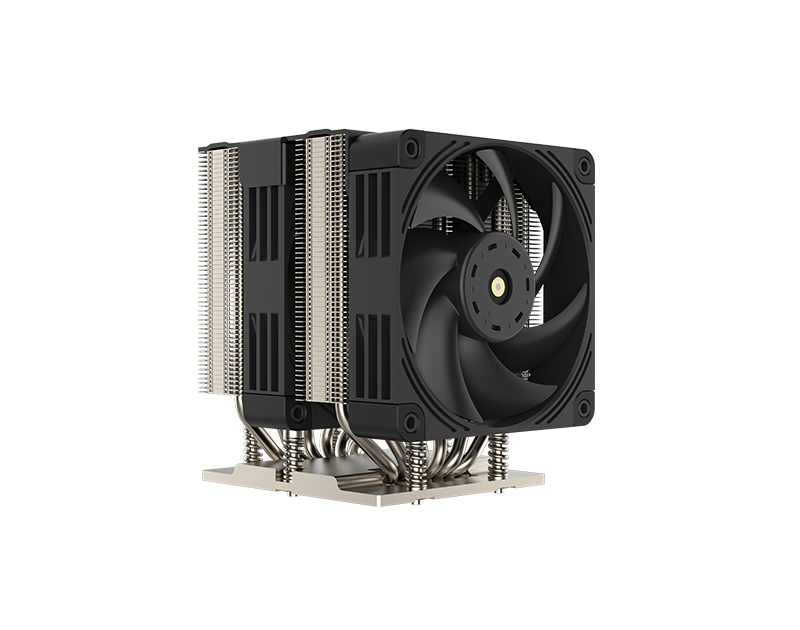
The design of the heat pipes is another important factor in a low profile cooler’s performance. Most low profile coolers feature 2 to 4 heat pipes, which are typically 6mm in diameter (though some high-performance models may feature 8mm heat pipes). The heat pipes are arranged in a compact configuration, with the base plate making direct contact with the CPU’s IHS to transfer heat efficiently. Some low profile coolers use advanced technologies like AGHP (Anti-Gravity Heat Pipe) technology, which prevents gravity-related performance drops regardless of the cooler’s orientation—ideal for ITX cases, which are often placed in vertical or horizontal positions.
The heatsink design is also crucial for low profile coolers. Since space is limited, the heatsink must be compact yet efficient, with a dense array of fins to maximize surface area for heat dissipation. Most low profile heatsinks are made of aluminum (which is lightweight and has good thermal conductivity), while some premium models use copper (which offers better thermal conductivity but is heavier and more expensive). Some heatsinks are nickel-plated to prevent oxidation and improve thermal transfer, while others use a black anodized finish for a sleek, modern look.
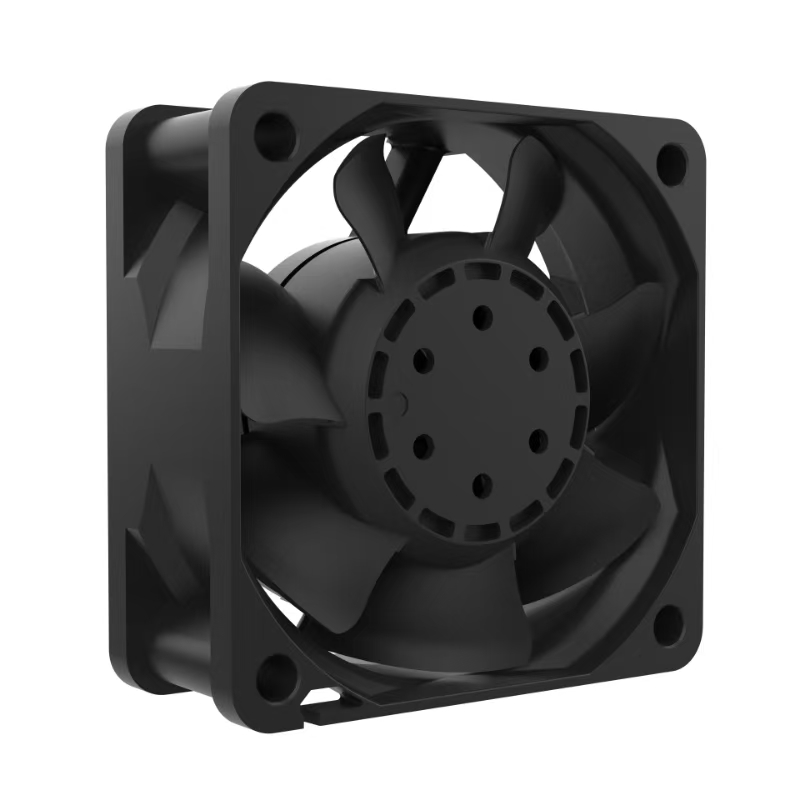
The fan included with the low profile cooler plays a key role in cooling performance. Most low profile coolers come with a single 92mm or 120mm PWM fan, which is designed to fit within the cooler’s compact design. The fan’s airflow rating (measured in CFM) and noise level (measured in dBA) are important considerations—look for a fan with a high CFM rating (to maximize airflow) and a low dBA rating (to ensure quiet operation). Many low profile coolers feature fans with hydrodynamic bearings or noise-dampening materials, further reducing noise levels—critical for small ITX builds, where components are closely packed and noise can be more noticeable.
To illustrate the quality of low profile CPU coolers for small ITX cases, let’s take a closer look at two top-rated models: the Thermalright AXP90-X36 and the Noctua NH-L9i-17xx chromax.black. The Thermalright AXP90-X36 is a high-performance low profile cooler with a height of just 36mm, making it compatible with ITX cases with a minimum height clearance of 36mm. It features 4 heat pipes, a nickel-plated copper base, and a 92mm PWM fan with a noise level of just 22.4 dBA. The AXP90-X36 has a TDP rating of 150W, making it suitable for mainstream CPUs and even some overclocked models. It also supports Intel LGA 1700/1851 and AMD AM5/AM4 sockets, and has a ram clearance of 45mm, making it compatible with most standard RAM modules.
The Noctua NH-L9i-17xx chromax.black is another excellent option, designed specifically for Intel LGA 1700 sockets (with a height of 37mm). It features 2 heat pipes, a copper base, and a 92mm PWM fan with a noise level of 23.6 dBA. The NH-L9i-17xx is known for its quiet operation and compact design, making it ideal for small ITX builds where noise is a concern. It has a TDP rating of 125W, making it suitable for mainstream Intel CPUs, and has a ram clearance of 32mm, ensuring compatibility with most low-profile RAM modules. The chromax.black finish gives it a sleek, modern look that complements most ITX builds.
Another popular low profile cooler is the Thermalright AXP-100, which has a height of 58mm (including the fan) and is designed specifically for ITX and HTPC systems. It features 6 heat pipes (a surprisingly high number for a low profile cooler), a nickel-plated copper base, and an adjustable fan mount that can accommodate 100mm, 120mm, or 140mm fans. The AXP-100 supports all modern CPU sockets (including LGA 1700 and AM5) and has minimal interference with tall RAM modules and full-length GPU cards—making it a versatile choice for ITX builds. During testing, the AXP-100 was able to keep a Ryzen 7 7800X3D under 75°C while running quietly at under 25 dBA, demonstrating its impressive cooling performance for a low profile cooler.
Installation of a low profile CPU cooler is typically straightforward, even for ITX builds. Most low profile coolers feature a simplified mounting system that fits within the tight space constraints of ITX motherboards. However, it is important to follow the manufacturer’s instructions carefully, as the compact design may require some maneuvering to install the cooler without damaging other components. It is also important to apply a small amount of thermal paste to the CPU’s IHS to ensure good thermal contact between the CPU and the cooler’s base plate.
One of the main advantages of low profile CPU coolers for ITX builds is their compatibility with small cases. By choosing a low profile cooler, you can maximize the available space in the case for other components, such as a larger GPU, more storage, or additional fans. This is particularly important for ITX builds, where space is at a premium. Additionally, low profile coolers are typically lightweight, reducing the overall weight of the build—ideal for portable ITX systems.
Another advantage of low profile coolers is their quiet operation. Since they use smaller fans running at lower speeds (compared to standard air coolers), they produce less noise, making them ideal for builds that are used in quiet environments (such as home offices or bedrooms). Many low profile coolers also feature noise-dampening materials or advanced fan designs, further reducing noise levels.
When choosing a low profile CPU cooler for a small ITX case, it is also important to consider the TDP of your CPU. For example, if you have a CPU with a TDP of 125W (such as the Core i5-14600K), you will need a cooler with a TDP rating of at least 125W to ensure adequate cooling. If you plan to overclock your CPU, you will need a cooler with a higher TDP rating (150W or more) to handle the increased heat output.
It is also worth noting that some low profile coolers are compatible with AIO water cooling, though these are less common. AIO low profile coolers typically feature a 120mm radiator (which fits in some ITX cases) and a compact water block, offering the benefits of liquid cooling in a small form factor. However, these coolers are often more expensive than air-based low profile coolers and may have limited compatibility with very small ITX cases.
In conclusion, a low profile CPU cooler is an essential component for any small ITX build, providing the necessary cooling performance while fitting within the tight space constraints of ITX cases. When choosing a low profile cooler, be sure to consider factors such as height clearance, socket compatibility, ram clearance, heat pipe design, fan performance, and TDP support. By selecting the right low profile cooler, you can ensure that your ITX build runs at optimal temperatures, maximizing performance and reliability while maintaining a compact, space-saving design. Whether you are building a portable gaming PC, a home theater PC (HTPC), or a compact workstation, there is a low profile CPU cooler available that meets your needs and budget.
If you have any suggestions and comments on our products and services, please fill in the following table

No. 18, Liguang New Industrial Zone Liguang Community, Guanlan Sub-district Longhua District, Shenzhen
Copyright 2026 © Shenzhen Yuchuang Industry Co., Ltd. 粤ICP备16089648号




 Chinese
 CN
CN Home >