


 Jun 02, 2026
Gaming PCs are more than just tools for playing games—they are a reflection of personal style and a source of pride for many builders. Today’s gamers don’t just want a PC that performs well; they want one that looks great too. This is where RGB CPU coolers with silent fans come in: they combine high-performance cooling with stunning RGB lighting and whisper-quiet operation, making them the perfect addition to any gaming PC. Whether you’re building a sleek, minimalist rig or a bold, eye-catching setup, an RGB CPU cooler with a silent fan offers the best of both worlds: functionality and aesthetics. In this guide, we’ll explore why these coolers are a must-have for gaming PCs, how they work, and what to look for when choosing one.
First, let’s address the two core components of these coolers: RGB lighting and silent fans. RGB (Red, Green, Blue) lighting allows you to customize the color and effects of your cooler, creating a personalized look that matches your PC’s theme. Modern RGB coolers feature addressable RGB (ARGB) lighting, which allows you to control each LED individually, enabling a wide range of effects such as rainbow waves, static colors, breathing, and even syncing with other RGB components (such as RAM, motherboards, and case fans) via software. This level of customization ensures that your gaming PC stands out from the crowd and reflects your unique style.
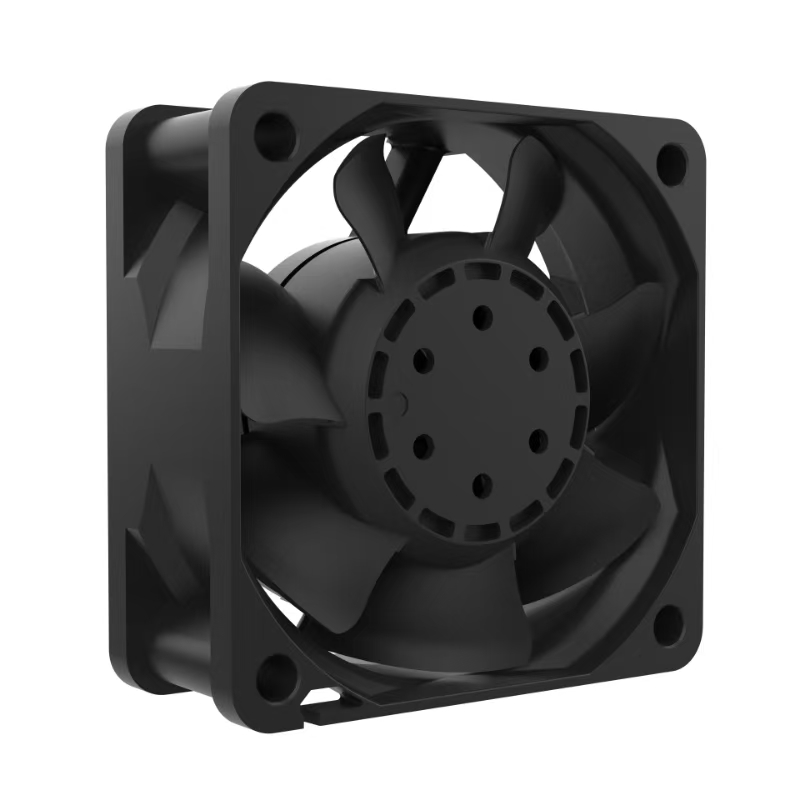
But aesthetics are only part of the equation—silent operation is equally important for gaming PCs. Gamers often spend hours at a time playing their favorite games, and a noisy CPU cooler can be distracting and ruin the immersive experience. Silent fans are designed to minimize noise while still providing sufficient airflow to keep the CPU cool. This is achieved through a combination of advanced fan technologies, such as fluid dynamic bearings (FDB), magnetic levitation (ML), and optimized fan blade designs.
Fluid dynamic bearings are a common feature in silent fans, as they reduce friction between the fan’s shaft and bearing, resulting in quieter operation and a longer lifespan. Unlike traditional sleeve bearings, which use oil to lubricate the shaft, FDB fans use a thin layer of fluid that creates a hydrodynamic cushion, reducing noise and wear. Magnetic levitation fans take this a step further by using magnets to suspend the fan’s rotor, eliminating physical contact entirely and resulting in near-silent operation. These fans also have a longer lifespan, as there is no friction to cause wear and tear.
Optimized fan blade designs also play a key role in silent operation. Many silent fans feature curved or aerodynamic blades that reduce air turbulence, which is a major source of fan noise. Some blades also have a “reverse rotation” design, which allows multiple fans to work together without creating airflow interference, further reducing noise. Additionally, silent fans often have a wide PWM (Pulse Width Modulation) range, allowing them to run at low speeds when the CPU is under light load (resulting in minimal noise) and ramp up to higher speeds only when necessary (under heavy load).
When combined with RGB lighting, these silent fans create a cooler that is both functional and visually appealing. For example, the Thermalright Peerless Assassin 120 SE ARGB features dual 120mm ARGB fans with fluid dynamic bearings, producing vibrant RGB lighting effects while operating at just 25dB under full load—quieter than a whisper. The Corsair iCUE H115i RGB PRO XT, a liquid RGB cooler, features two 140mm magnetic levitation fans that operate at 10-36dB, with 16 addressable RGB LEDs on the pump head for stunning lighting effects.
But RGB CPU coolers with silent fans aren’t just about looks and noise—they also deliver exceptional cooling performance, which is critical for gaming PCs. Modern gaming CPUs (such as the Intel Core i9-13900K and AMD Ryzen 9 7900X) generate significant heat when running demanding games, and a high-performance cooler is needed to prevent thermal throttling. RGB coolers with silent fans often feature the same advanced cooling technologies as non-RGB models, such as multiple heat pipes (4 or more), direct-touch heat pipe designs, and optimized fin arrays, ensuring that they can handle the heat output of even the most powerful gaming CPUs.
For example, the DeepCool AK400 ARGB (a 4-heat-pipe air cooler) features a matrix fin design and a 120mm FDB fan that operates at 500-1850 RPM, producing just 29dB of noise. It can dissipate up to 220W of heat, making it capable of cooling even high-end gaming CPUs. The NZXT Kraken Z73, a liquid RGB cooler, features a 360mm radiator, three 120mm silent fans, and a customizable LCD display on the pump head (in addition to RGB lighting). It can keep even overclocked gaming CPUs running at cool temperatures, with noise levels as low as 21dB.
Another key advantage of RGB CPU coolers with silent fans is their compatibility with gaming PC builds of all sizes. Whether you have a large full-tower case or a compact Mini-ITX case, there is an RGB cooler with a silent fan that will fit. Compact models (such as low-profile air coolers or 120mm liquid coolers) are designed for small cases, while larger models (such as 240mm or 360mm liquid coolers) are ideal for full-tower builds. Many models also feature universal mounting kits, ensuring compatibility with both Intel and AMD sockets.
Software integration is another important feature of modern RGB CPU coolers. Most RGB coolers are compatible with popular software platforms such as Corsair iCUE, NZXT CAM, ASUS Aura Sync, and MSI Mystic Light, allowing you to sync the cooler’s RGB lighting with other RGB components in your PC. This creates a cohesive, unified look that enhances the overall aesthetic of your gaming setup. Additionally, these software platforms allow you to monitor the cooler’s performance (such as fan speed and CPU temperature) and adjust settings (such as fan speed curves and RGB effects) to suit your preferences.
When choosing an RGB CPU cooler with a silent fan for your gaming PC, there are several factors to consider. First, cooling performance: make sure the cooler can handle the heat output of your CPU (check the TDP rating and heat dissipation capacity). Second, noise level: look for fans with a low dB rating (ideally below 30dB) and advanced bearing technologies (FDB or ML). Third, RGB customization: choose a cooler with addressable RGB lighting and compatibility with your preferred software platform. Fourth, compatibility: ensure the cooler fits your case and CPU socket. Finally, build quality: look for a cooler with a durable design (such as nickel-plated heat pipes, soldered fins, and a long warranty) to ensure long-term performance.
In conclusion, an RGB CPU cooler with a silent fan is the perfect addition to any gaming PC. It combines high-performance cooling, stunning RGB lighting, and whisper-quiet operation, ensuring that your PC looks great and performs even better. Whether you’re a casual gamer or a competitive esports player, these coolers will keep your CPU running cool and stable, while adding a touch of personal style to your setup. With so many options available on the market, there’s an RGB CPU cooler with a silent fan that’s perfect for your gaming PC build.
If you have any suggestions and comments on our products and services, please fill in the following table

No. 18, Liguang New Industrial Zone Liguang Community, Guanlan Sub-district Longhua District, Shenzhen
Copyright 2026 © Shenzhen Yuchuang Industry Co., Ltd. 粤ICP备16089648号




 Chinese
 CN
CN Home >